
Piping isometric CAD · Spool builder · Workpacks
From line spec to
shop-ready spool.
In one browser tab.
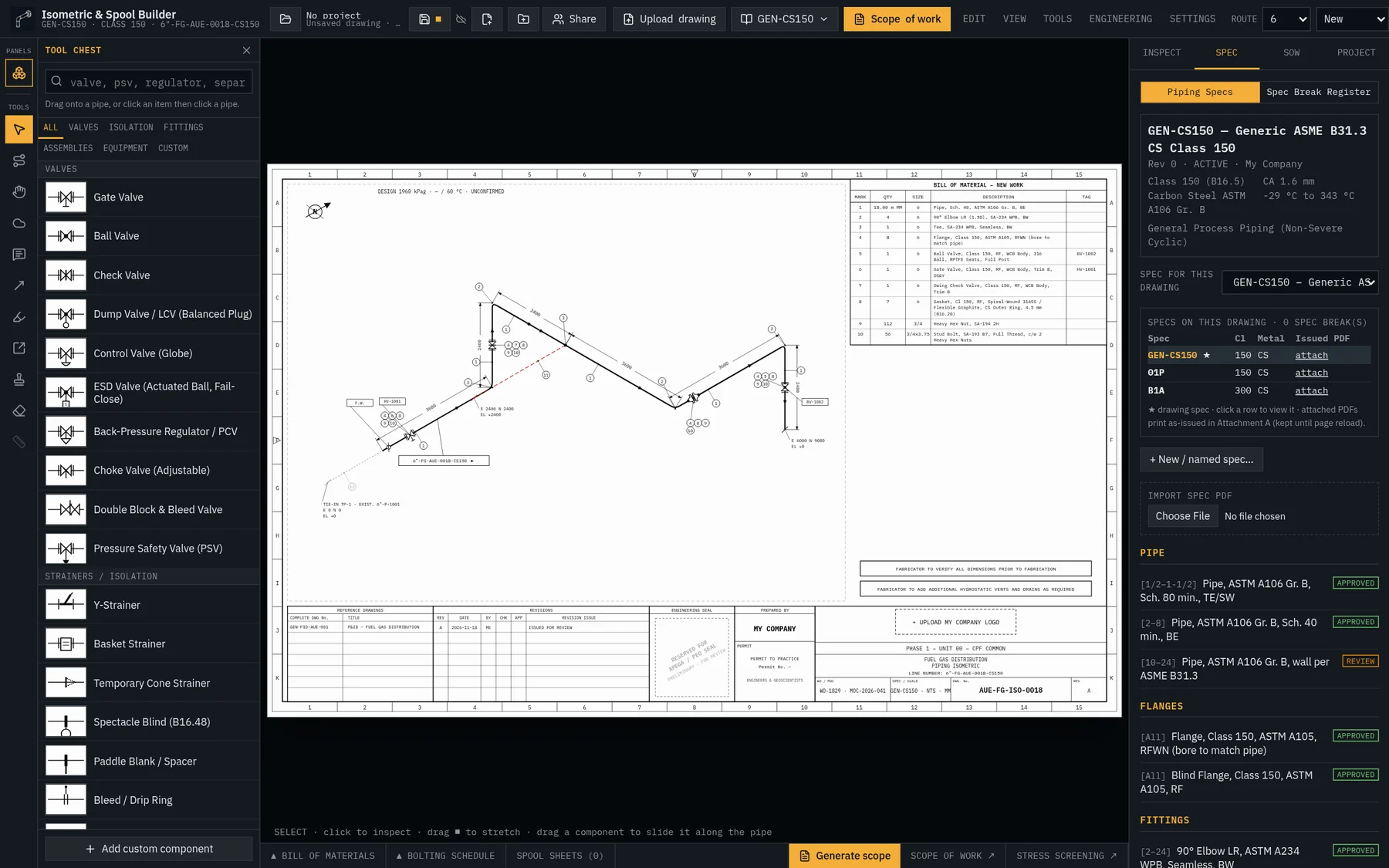
Draft ASME B31.3 isometrics that know their spec. IsoForgeCAD builds your BOM, B16.5 bolting, spool cut lists and construction scope of work while you draw — and lets your team redline it like Bluebeam.
Drafting is free · no card · no install · 30-day full trial with an account
What is IsoForgeCAD?
IsoForgeCAD equips piping designers, project leads and fabrication shops with precision browser tools to:
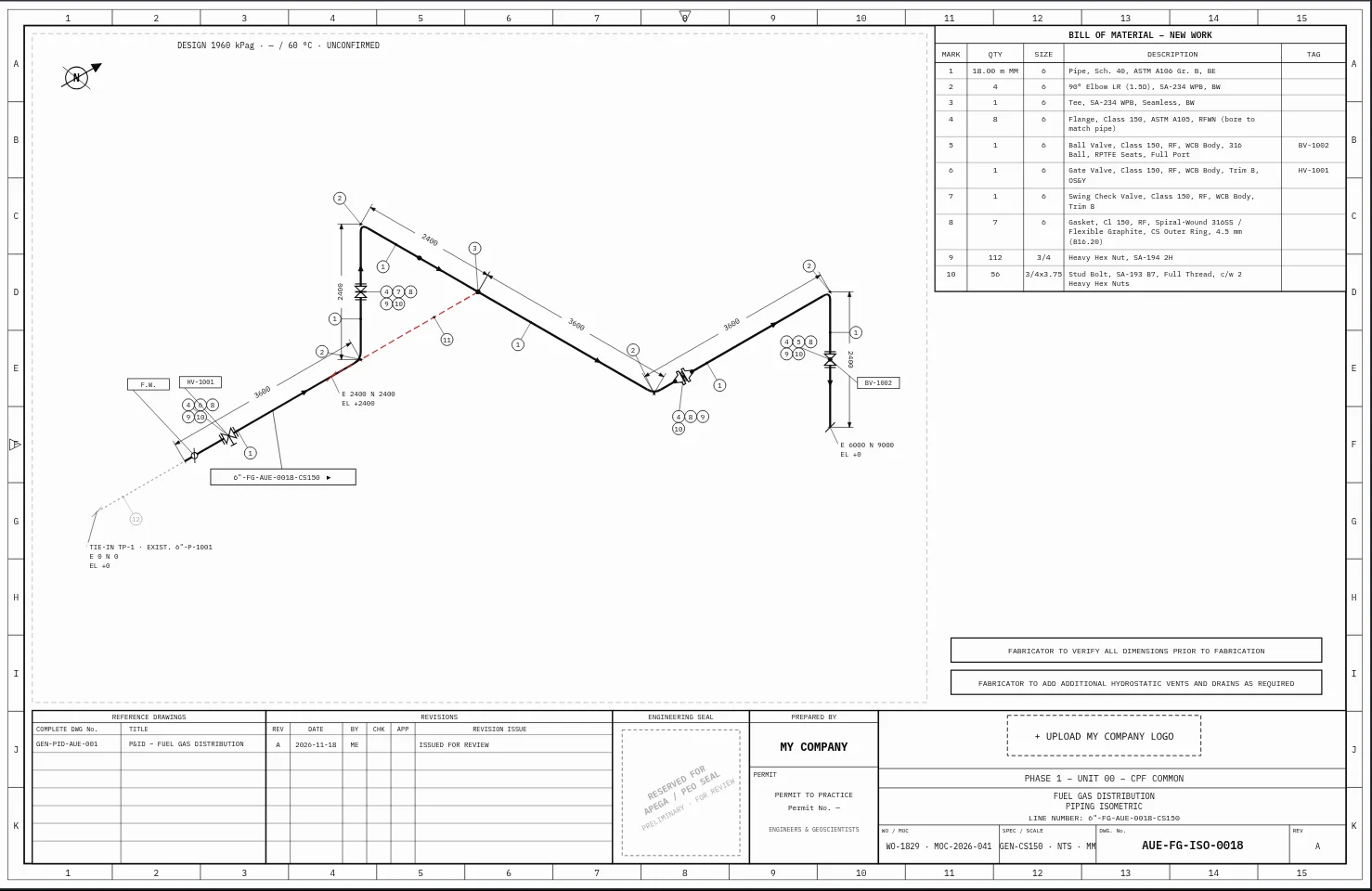
- Draft and annotate 30° isometrics and flat 2D elevations that know their ASME B31.3 line spec and B16.5 flange rating.
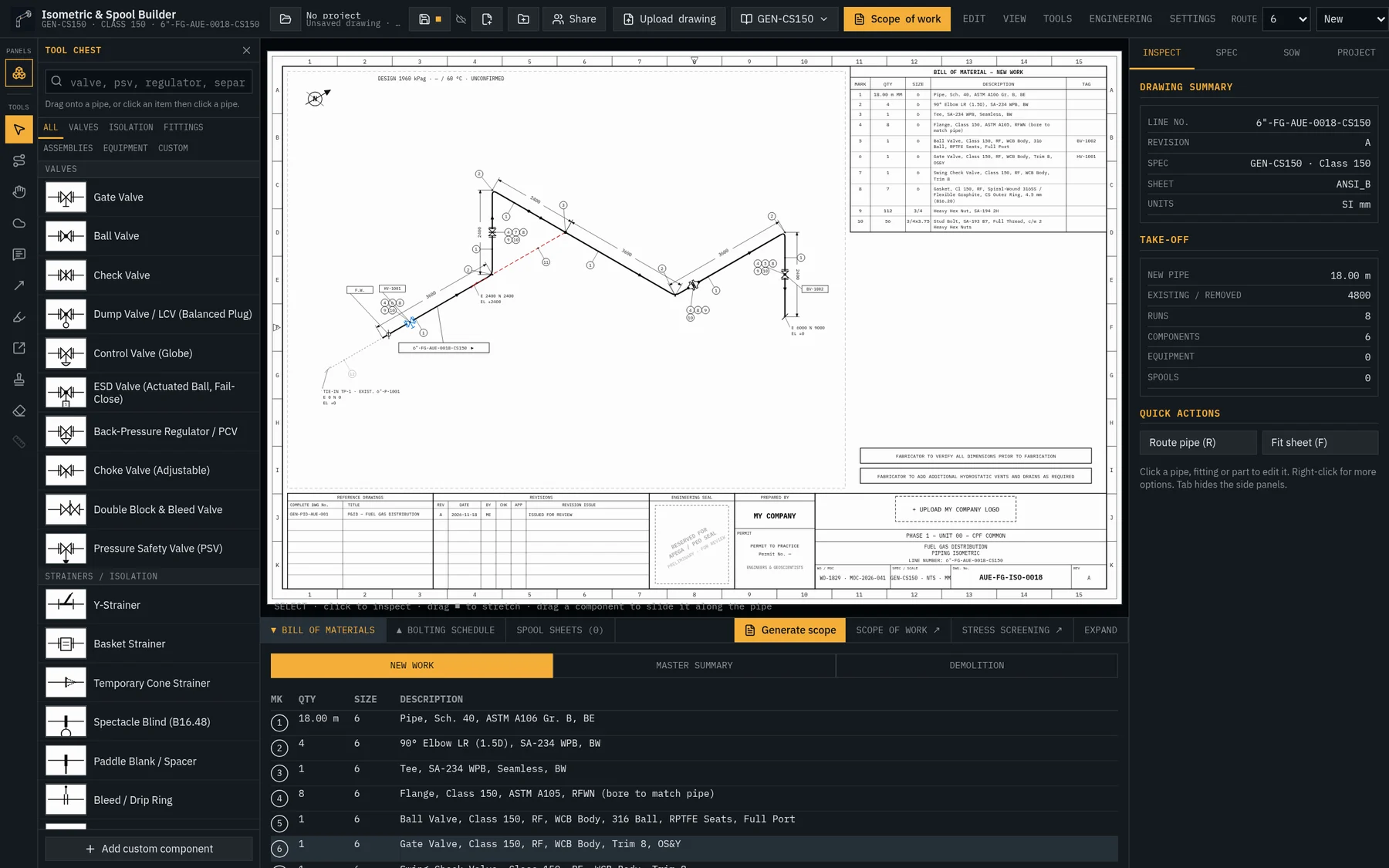
- Automate shop deliverables — live BOMs, bolt sets, weld maps and one-click spool sheets with cut lists.
- Close the loop with revision clouds, stamps and an editable scope of work you can approve and lock.
 ▶ Try it free in seconds
30° isometric with live dimensions and balloons
What you ship
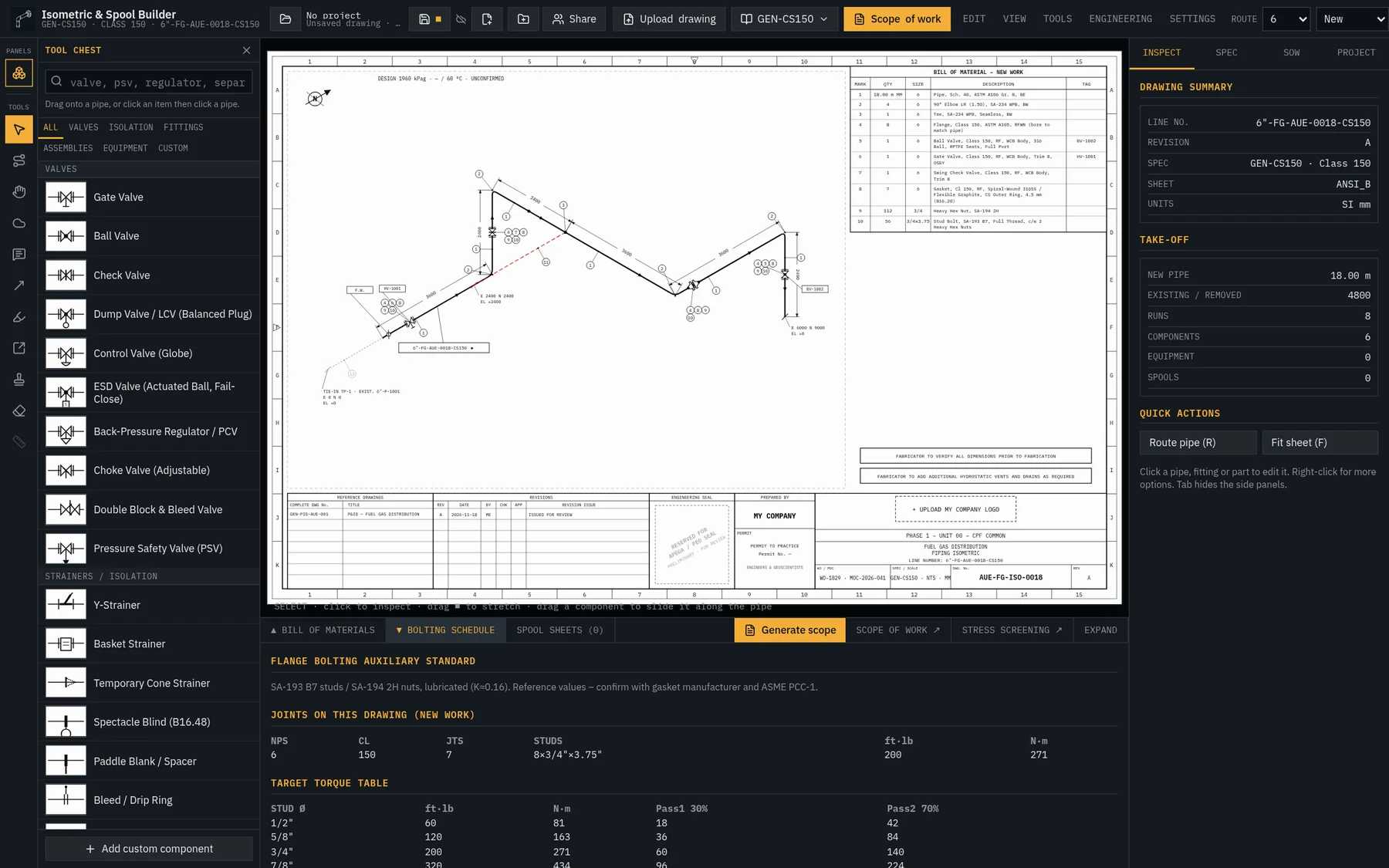
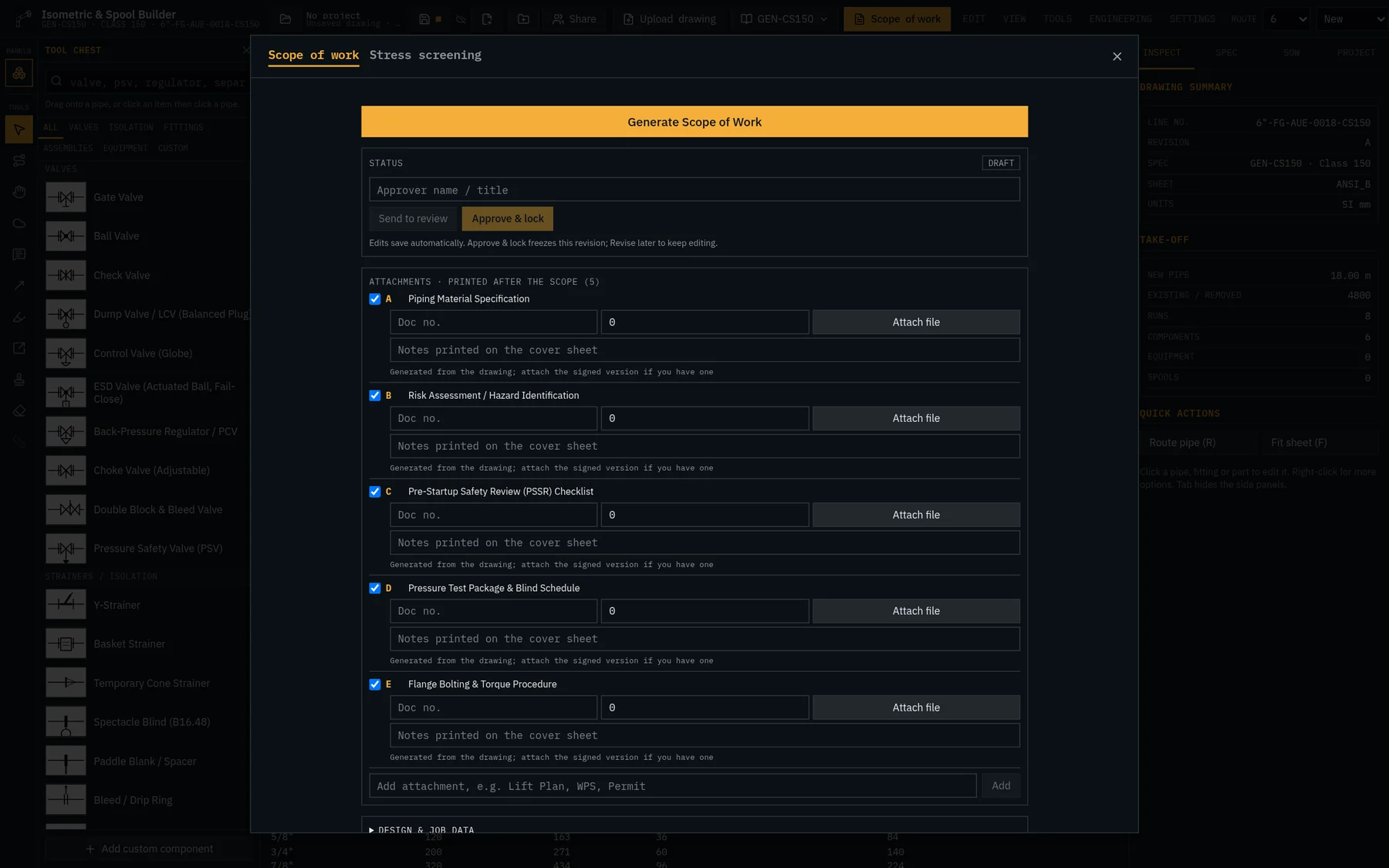
Every sheet below came out of the same drawing.
No re-keying between CAD, spreadsheets and Word. Change the drawing, and every deliverable updates with it.
Real plant work
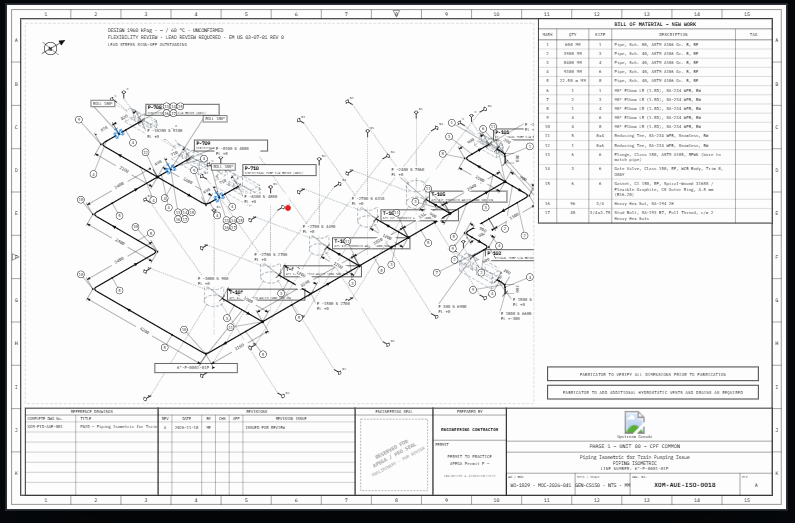
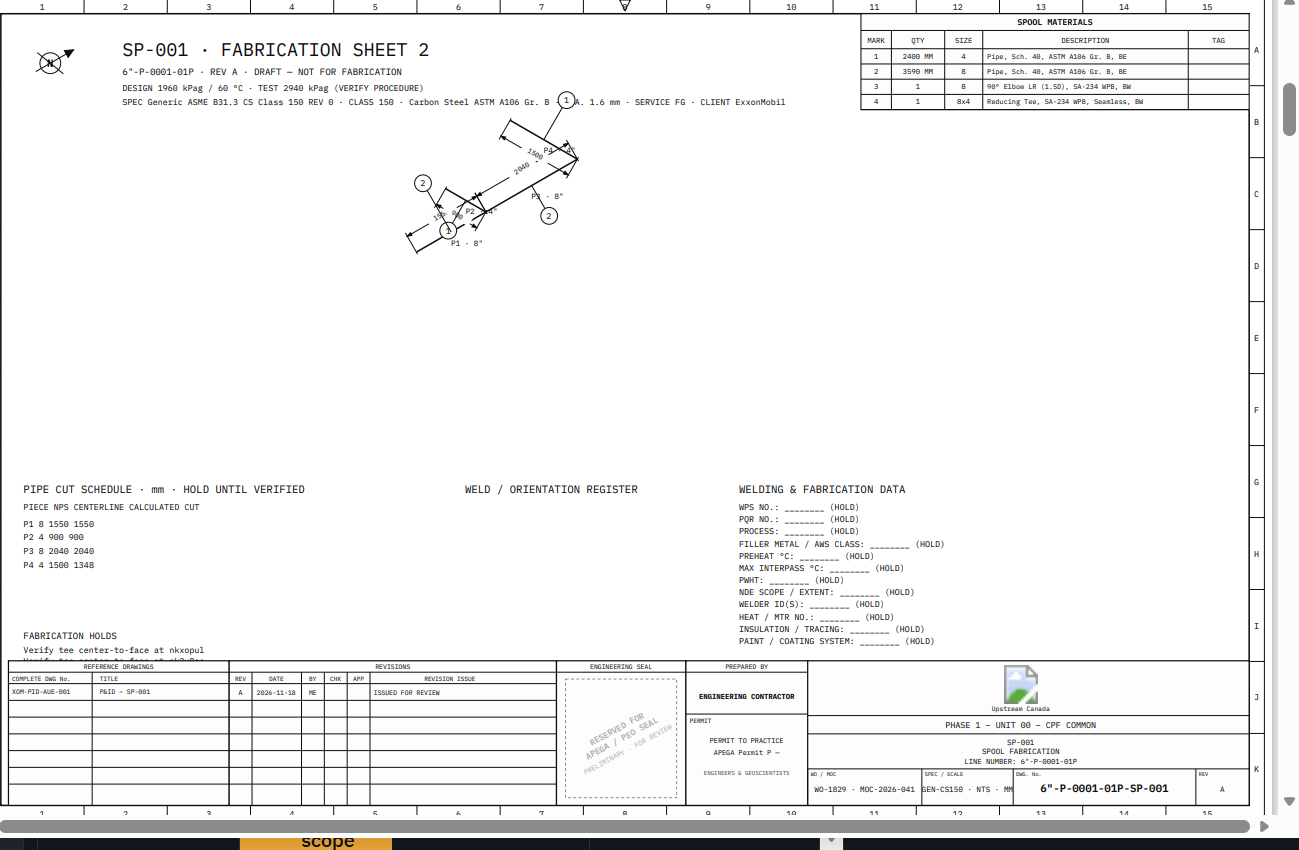
A full plant isometric in. Shop-ready spools out.
Pump trains, valve tags, tie-ins and a zoned title block — then one click turns any run into a fabrication sheet with piece marks, deducted cut lengths, weld register and WPS data. Change the ISO, hit Regenerate, the spool follows.
New in the studio
Everything a piping drafter reaches for.
ISO ↔ Flat 2D
Flip between 30° isometric and flat elevation drafting. Lengths and BOM never change.
Elbows, tees & olets
Drop explicit elbows and tees, weldolets, sockolets, threadolets, nipples, swages, caps and unions.
Supports tab
Shoes, trunnions, guides, anchors, wear pads and U-bolts — listed in their own SUPPORTS section.
Steam traps & specials
Thermodynamic, float and bucket traps, sight glasses, strainers, blinds and flexible hose.
Spec break register
Five drivers, ranked isolation (IFK, MIJ, DMW), low-preload options deranked, MOC/ETQ tracked.
Equipment & nozzles
Pumps, tanks, exchangers and vessels with design data. Move equipment and connected pipe follows.
The full workflow
Upload. Draft. Redline. Release.
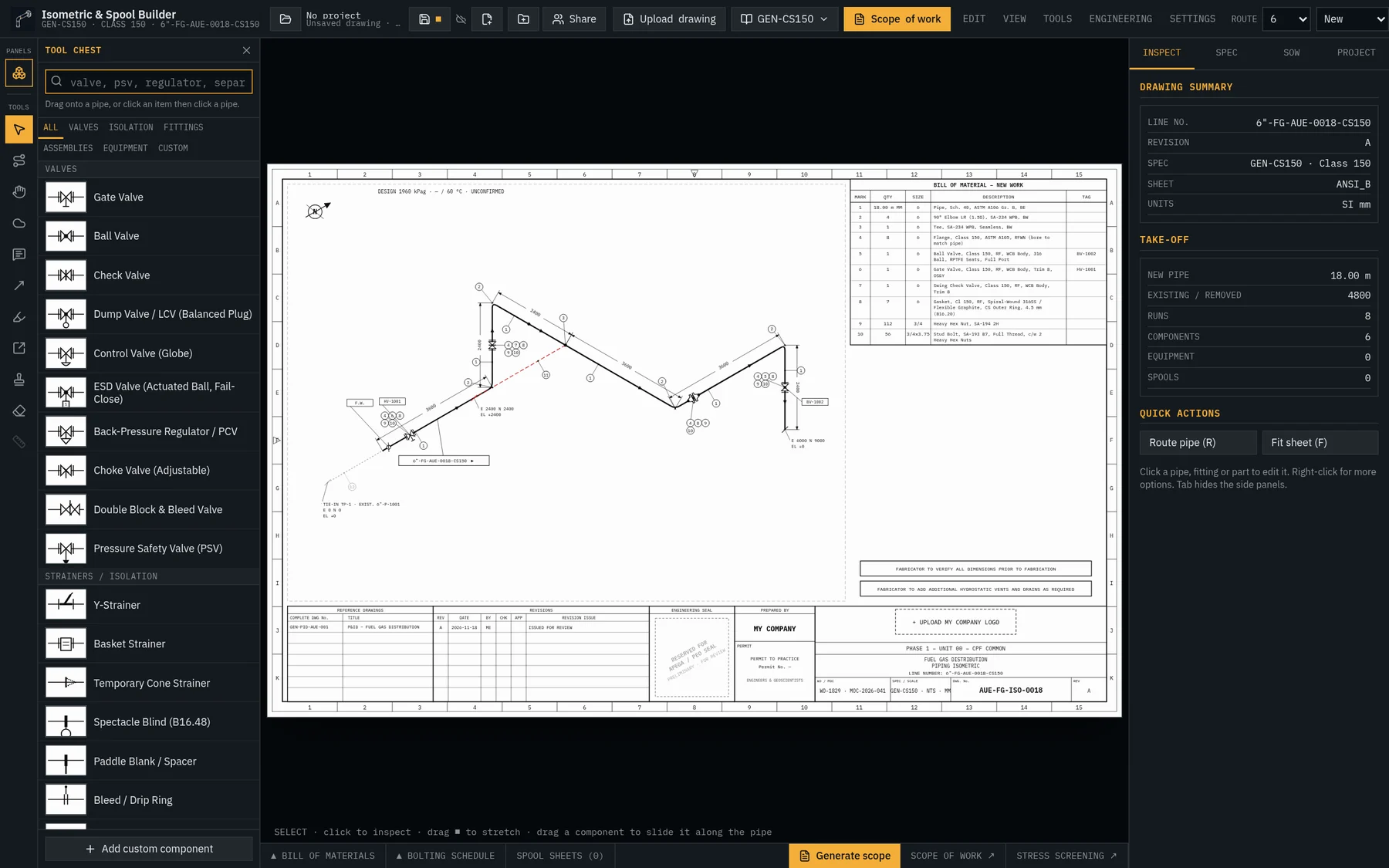
Upload the legacy isometric
Drop a scanned plant PDF behind the sheet, set opacity, and route new work right over the existing drawing. No redraw from scratch.
Route in true world coordinates
Every node is stored in E / N / EL millimetres. Rolling offsets, 11.25°–60° take-offs, rise and drop planes — and never canvas drift.
Edit the number, the geometry follows
Right-click any dimension to change its actual length. Downstream piping moves. Flip sides, chain sub-dimensions, add HOLD or V.I.F. notes.
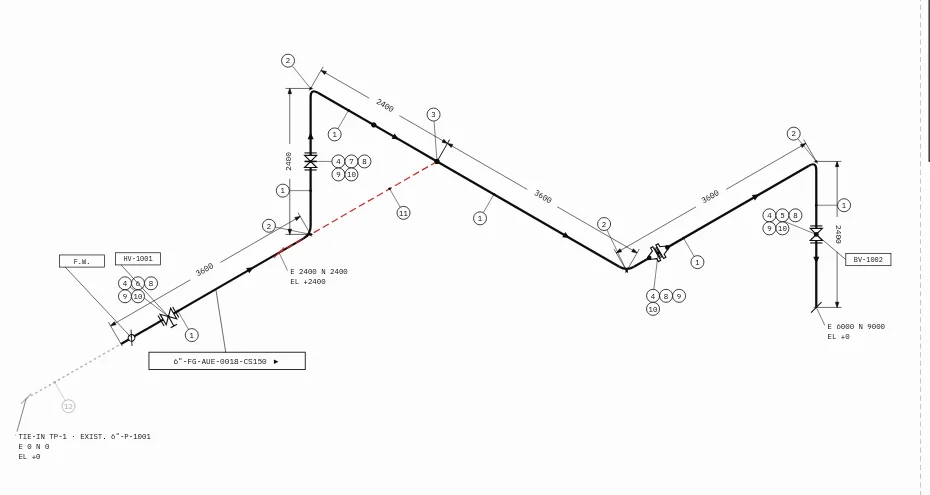
Place valves with real metadata
Snap valves, strainers, blinds and assemblies onto runs. Roll stems about the pipe axis, mirror actuators, set eccentric reducers FOB or FOT.
Existing, new, demolition — one click
Mark a run Existing and it turns dashed, drops out of the new-work BOM and becomes a tie-in in your scope. Removed lines go red for demo.
Spec breaks that propagate
Change spec mid-line. Everything downstream follows the new spec, the higher class governs the joint, and isolation options are ranked to protect bolt preload.
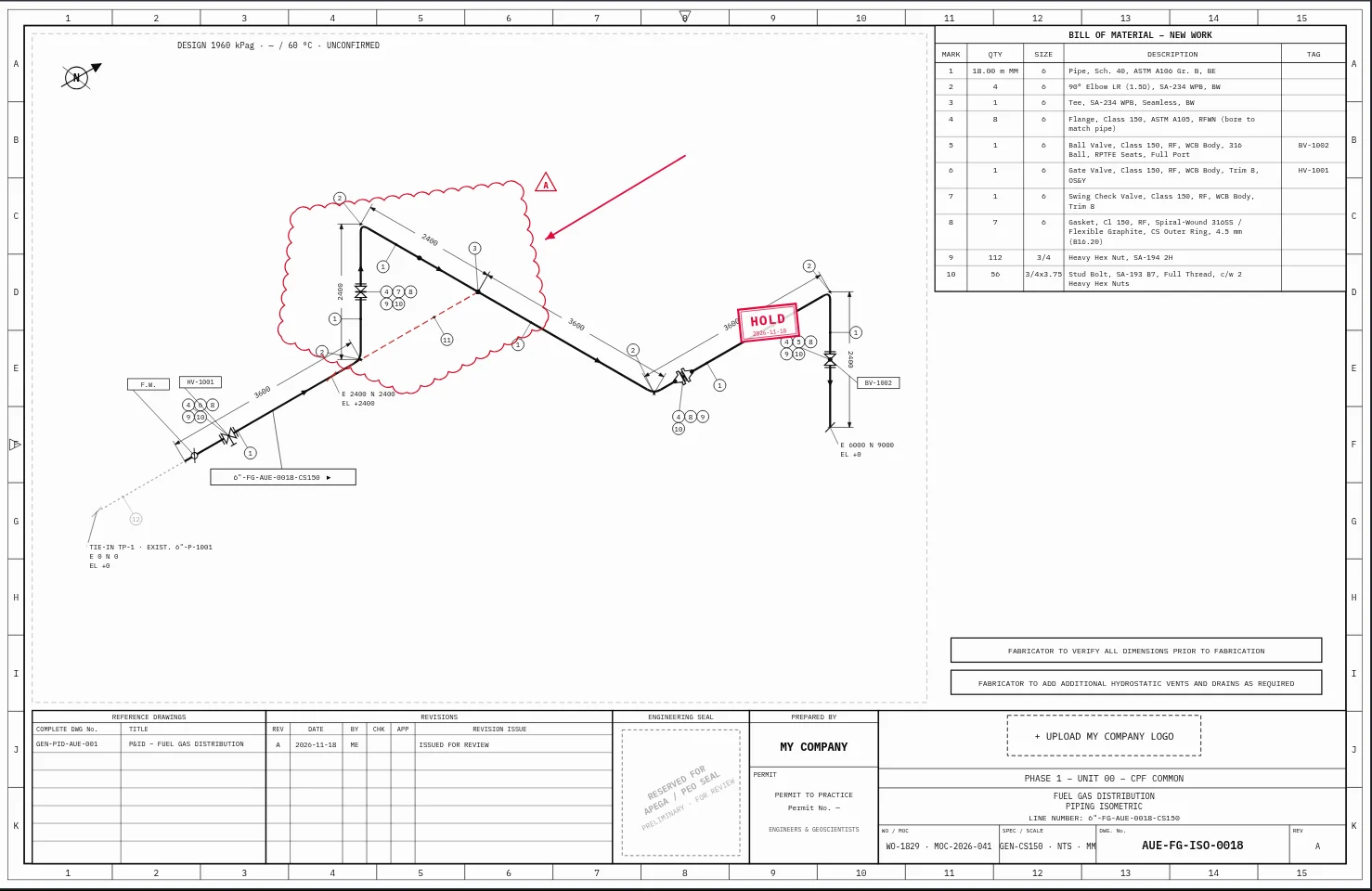
Redline like Bluebeam — on a live model
Irregular revision clouds, four line weights, discipline inks, arrows, callouts and status stamps. Your markups sit on real engineering data.
Generate, edit and lock the scope
Tie-in registers, hydrotest, bolting and spec-break narratives written from the drawing. Edit freely, approve, lock, and attach PSSR, risk and spec pages.
Projects & folders
Organise drawings by project. Saves instantly offline and syncs to the cloud when signed in.
Collaborate by email
Invite reviewers to redline or editors to draft. Access follows the invited email — owners stay in control.
Stress screening
Flexibility screening at line temperature extremes flags where a formal stress review is needed.
Compare
AutoCAD draws lines. Spool tools need a server. Bluebeam reads PDFs. IsoForgeCAD does the whole job.
| Capability | Generic CAD | Desktop spool tools | PDF markup tools | IsoForgeCAD |
|---|---|---|---|---|
| Piping spec intelligence | Lines & blocks | Heavy database setup | None — PDF only | ✓ Native line specs, per-run |
| Spec breaks & isolation | Manual redraw | Workarounds | Text markup | ✓ Downstream inheritance + ranked IFK / MIJ / DMW |
| B16.5 flange bolting | Manual charts | Add-on module | None | ✓ Live stud size, length, nuts, gaskets |
| Live synchronized BOM | Manual count | Yes | None | ✓ Updates on every edit, by spec |
| Spool cut lists & take-outs | Manual math | Desktop only | None | ✓ Centre-to-face deducted, unknowns flagged |
| Revision clouds, stamps, redlines | Clunky | None | Industry standard | ✓ Polygon clouds, weights, stamps, callouts |
| Construction scope of work | Separate Word doc | None | None | ✓ Generated, editable, approve & lock |
| Workpack attachments (PSSR, risk, spec) | None | None | Manual combine | ✓ One printable package |
| Install & access | Desktop licence | Windows install | Desktop + server | ✓ Any browser, zero install |
Comparison reflects typical out-of-the-box workflows. Product names are trademarks of their owners.
Still deciding?
Test it on your own line — no salesperson, no install, no card.
Open the drafting studio right now. Route a line, drop valves, watch the BOM and spools build themselves.
Save drawings to the cloud, share with your team and start the 30-day full trial. Pick a plan any time.
ASME B31.3 specs · B16.5 bolting · Shop spool cut lists · Local-first drawings
Pricing
Drafting is always free. Pay for deliverables.
30-day full trial, then 5 free credits a day. Credits are spent on exports and packages — never on drawing.
Unused plan credits roll over up to 2× the monthly allowance. Top-ups never expire.
Enterprise
Built for owner-operators and EPCs.
Load your company piping specs, client title blocks and approval workflow. Every sign-off is traceable; the professional seal box stays reserved for your engineer of record.
- ■Client spec & title-block profiles
- ■Two-step verified administration
- ■Append-only review & approval records
- ■Role-based sharing: reviewer / editor
- ■Local-first drafting, cloud sync
- ■No fake seals — reserved stamp space